



Top 10 Best Reverse Phone Number Lookup Sites & Services in 2025 - Reveal Unknown Callers in Seconds
Dec 13, 2025
How to Cheat a Background Check: 10 Common Ways People Try
Dec 13, 2025
How Expensive Is a Criminal Background Check?
Dec 13, 2025
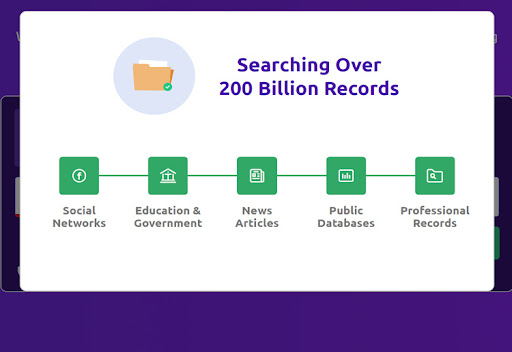
Social Catfish is an online background check service that launched in 2013. It’s designed to help you investigate people you meet online, such as through social media or dating sites. The company has access to more than 200 billion public records.
With Social Catfish, you can search for someone by their name, email, and social media username and also, carry out a reverse image search. I like using the latter to find someone based on their social media profile photo. Social Catfish offers unlimited searches with your membership and the reports are very detailed.
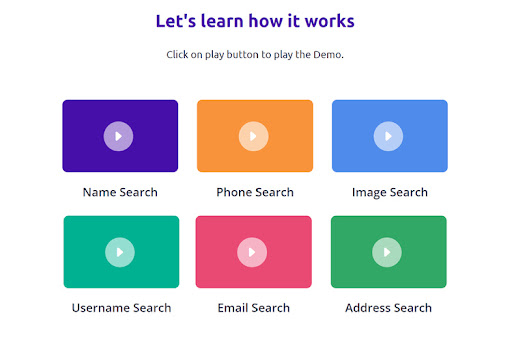
Social Catfish offers several ways to search for someone:
You can’t combine multiple searches, such as if you have a person’s name and email address. However, Social Catfish does help you narrow down your searches by allowing you to specify the state or city where a person lives if you know it.

If there are multiple matches to search, Social Catfish will display the most likely matches along with basic information such as their age, family members, and contact information. You can use this to generate a full report on the correct person.
Social Catfish has access to more than 200 billion data records, all of which come from public sources. The company doesn’t specify where its data comes from but says that it uses custom-built tools to ensure all of its data is up to date.
Social Catfish’s reports are extremely detailed. Information includes:
The reports also display photos pulled from the person’s social media profiles.
When you run an address search, you can see all current and past owners of the property. From there, clicking on an individual will generate a full report on that person.
Social Catfish is extremely straightforward to use. When you log onto the platform, you’ll see a search bar with different search options. Just choose your search type and enter the information you have, and Social Catfish will display potential matches.
Generating a report can take up to two minutes. That’s not a huge amount of time considering the amount of data that Social Catfish includes, but it can feel slow at times.
There is no way to save reports or export them as PDFs. However, I found that I could save the report web pages to my computer and review them offline later.
Social Catfish uses Secure Sockets Layer (SSL) encryption to protect the information you enter on the site. All of your searches are private and Social Catfish never notifies the subject that you searched for them. The company also stores all data and reports in the cloud, so you don’t have to worry about losing data.
All of the information that is available on Social Catfish comes from public records. So, there are no concerns about the platform revealing sensitive data. Social Catfish also complies with the California Consumer Privacy Act (CCPA), so you can request that the site delete your data or make a correction to it. Social Catfish also has a clear privacy policy on its website.
The platform has a 4.0-star rating on Trustpilot and an A+ rating with the Better Business Bureau.
Social Catfish enables you to search for anyone using basic information like their name, phone number, email, address, or social media handle. You can also upload a photo, such as a social media profile photo, to find out who that photo is associated with. With a Social Catfish subscription, you can run an unlimited number of searches.
To get started with Social Catfish, you’ll need to sign up for a membership. Social Catfish has an introductory offer for new users that lets you run unlimited searches for three days at a discounted price. After this introductory period, you must pay for Social Catfish monthly to get access to reports.
Social Catfish only requires your billing information to sign up. You can pay with a credit card, debit card, or PayPal. Once you sign up, you can begin running searches right away. A dashboard shows your recent searches so that you can return to reports you’ve looked at previously.
Overall, using Social Catfish is very easy. It takes less than five minutes to go from signup to search.
Social Catfish offers customer support 9am-5pm (PT), Monday-Friday, by phone and email. I called and was connected to a support agent in less than a minute.
Social Catfish also has a very thorough FAQs page on its website, as well as tutorial videos that show how to run searches.
You can cancel your subscription at any time in your online account dashboard or by contacting the customer service team. However, Social Catfish does not offer prorated refunds if you cancel your account before the end of the month.
Social Catfish offers a free mobile app for Android devices, but there is no app for iOS devices.
The app does everything you can do on Social Catfish’s website. In some ways, I think it’s even easier to use. You can tap to select your search type, then quickly scroll through your potential matches. The app reformats reports for vertically-oriented mobile screens, and you have access to all the same information you can get online.
Social Catfish offers a single membership option that includes unlimited searches.
New users receive an introductory price of $5.73 for three days. After that, your subscription will automatically renew at $27.48 per month.
| Introductory Period | Membership | |
|---|---|---|
| Cost per month | $5.73 for 3 days | $27.48 |
| Unlimited searches |
The introductory period enables you to try out Social Catfish with no limitations. If you’re not satisfied, you can easily cancel your membership before it renews.
Social Catfish’s monthly membership is slightly more expensive than the average for background check services. However, many competitors don’t allow you to search for people by social media username or run reverse image searches. If you primarily want to look up people you meet online, Social Catfish offers more information than many other services.
Social Catfish doesn’t offer a free trial. You can run a search and see preliminary matches with redacted information, but you must sign up for a paid membership before you can view a report.
Social Catfish does not offer any optional add-ons.
| Social Catfish | PimEyes | Spokeo | BeenVerified | |
|---|---|---|---|---|
| Price | $27.48 per month | $25.06-$299.99 per month | $17.95-$22.95 per month | $14.86-$22.86 per month |
| Reports offered | Unlimited | 25 per day to unlimited | Unlimited | Unlimited |
| Search parameters | Name, email, phone, address, username, image | Image | Name, email, phone, address | Name, email, phone, address, vehicle |
| Smartphone apps | Android | None | Android | iOS and Android |
PimEyes uses facial recognition to find all the photos of you across the internet. It only runs reverse image searches. Unlike Social Catfish, PimEyes is more suitable for protecting your own privacy than for finding out information about others. Premium plans at PimEyes are also much more expensive than a subscription to Social Catfish.
Spokeo is slightly cheaper than Social Catfish, but it offers a much more limited range of search options. You cannot search for people by social media username or run a reverse image search. So, Spokeo is best if you primarily want to look up old acquaintances whose names you know.
BeenVerified is a powerful background check platform at an affordable price. Although you can’t search for people by social media handle, BeenVerified does offer a vehicle search. BeenVerified offers an iOS app, and its reports have even more detail than those of Social Catfish. For most searches, I prefer BeenVerified over Social Catfish.
Social Catfish is an online background check service that can help you verify the identities of people you meet online. It’s very easy to use and lets you run a search based on a person’s name, email, address, phone number, social media username, or photo.
I particularly like using Social Catfish to look into people on online marketplaces and dating apps. The reports are very detailed and even include photos of the person you’re investigating. Although Social Catfish isn’t the cheapest search service around, the wide variety of search options makes it worthwhile.
 Frequently Asked Questions
Michael Graw is a freelance writer specializing in finance, business, and tech who writes for Top10.com. His work has appeared in numerous well-known online and print publications, including Techradar, BestMoney, Business2Community, Day Trade Reviews, Pacific Standard, Fortune, Business Insider, and more.